
Documentation Index

Fetch the complete documentation index at: https://docs.idun-group.com/llms.txt

Use this file to discover all available pages before exploring further.

pip install → chat UI → production agent in under 30 minutes. No Docker required, no separate frontend, no extra services to deploy.

Prerequisites

  • Python 3.12+ (python.org)
  • pip (bundled with Python)
  • An LLM provider key (OpenAI, Anthropic, or Google, whichever your agent calls)

Steps

1

Create a project directory and install

mkdir my-agent && cd my-agent
pip install idun-agent-engine langgraph langchain-google-genai
Save the next two files inside this my-agent/ directory.
2

Save agent.py

Save this as my-agent/agent.py:
agent.py
from typing import Annotated, TypedDict

from langchain_google_genai import ChatGoogleGenerativeAI
from langgraph.graph import StateGraph, START, END
from langgraph.graph.message import add_messages


class State(TypedDict):
    messages: Annotated[list, add_messages]


llm = ChatGoogleGenerativeAI(model="gemini-2.0-flash")


def chatbot(state: State):
    return {"messages": [llm.invoke(state["messages"])]}


graph = StateGraph(State)
graph.add_node("chatbot", chatbot)
graph.add_edge(START, "chatbot")
graph.add_edge("chatbot", END)
3

Save config.yaml

Save this as my-agent/config.yaml next to agent.py:
config.yaml
server:
  api:
    port: 8000

agent:
  type: LANGGRAPH
  config:
    name: "my-agent"
    graph_definition: "./agent.py:graph"
    checkpointer:
      type: sqlite
      db_url: "sqlite:///conversations.db"
graph_definition: "./agent.py:graph" is resolved against the directory where you run idun init (the next step), so agent.py and config.yaml must live in the same directory you launch from. Use an absolute path if you want to invoke it from elsewhere.
4

Run

Put GEMINI_API_KEY=... in a my-agent/.env. Get a key at aistudio.google.com/apikey.From inside my-agent/:
idun init
Runs Alembic migrations, seeds the database from config.yaml, and boots the server at http://localhost:8000. Use idun init --port 8080 to bind a different port (overrides the IDUN_PORT env var; default is 8000).
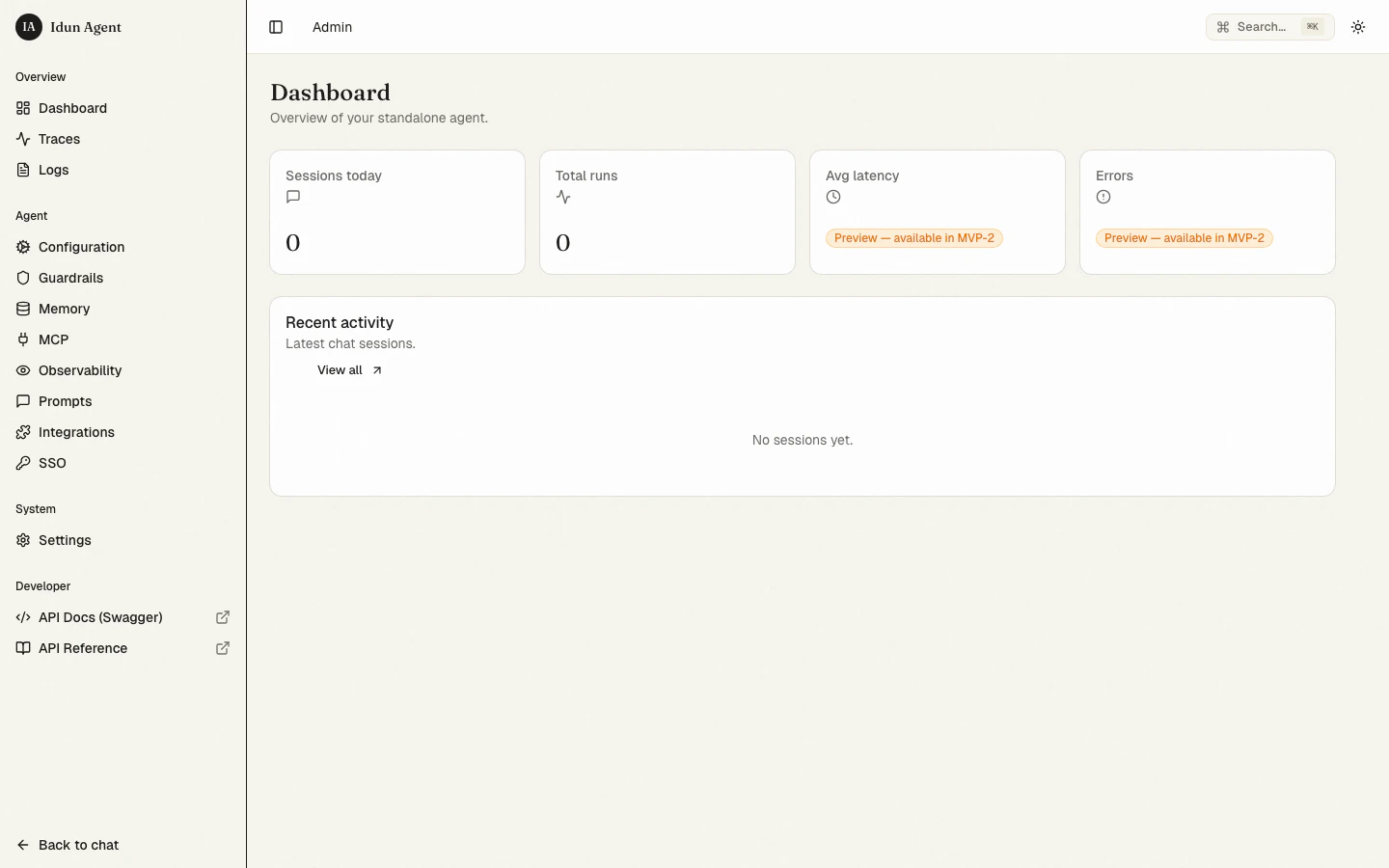
config.yaml is a one-shot bootstrap, not a runtime config file. Each resource (agent, MCP servers, guardrails, observability, …) is seeded into the DB only if the corresponding row is empty. After the first boot the admin panel at /admin/ becomes the source of truth, and later edits to config.yaml are ignored. To re-seed from YAML, clear the relevant rows from the DB (or delete idun_standalone.db for a clean restart) and run idun init again.
Admin landing page
5

Chat

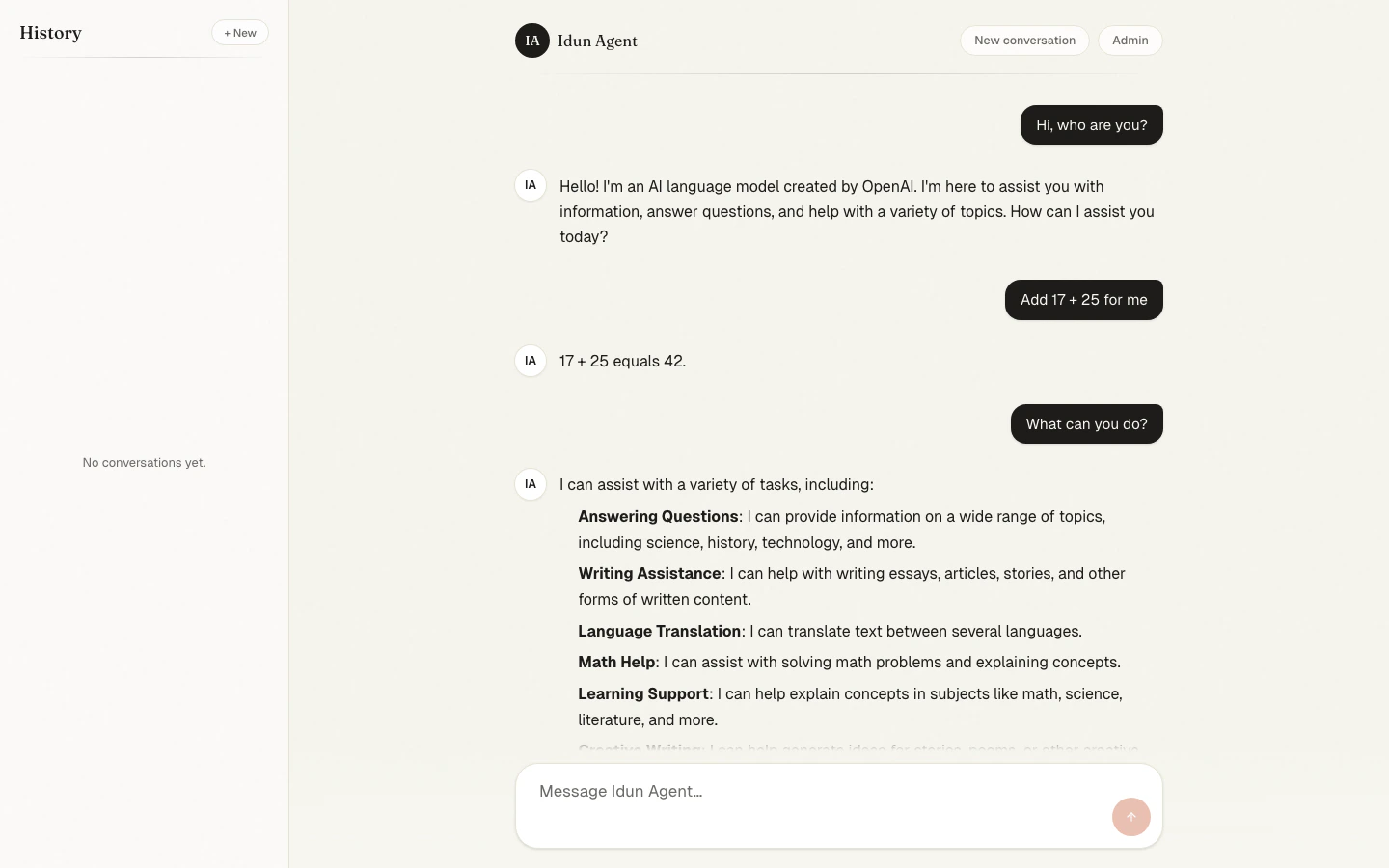
Open http://localhost:8000 in your browser. Send a message and the response streams back in real time.
Chat conversation
6

Explore the admin

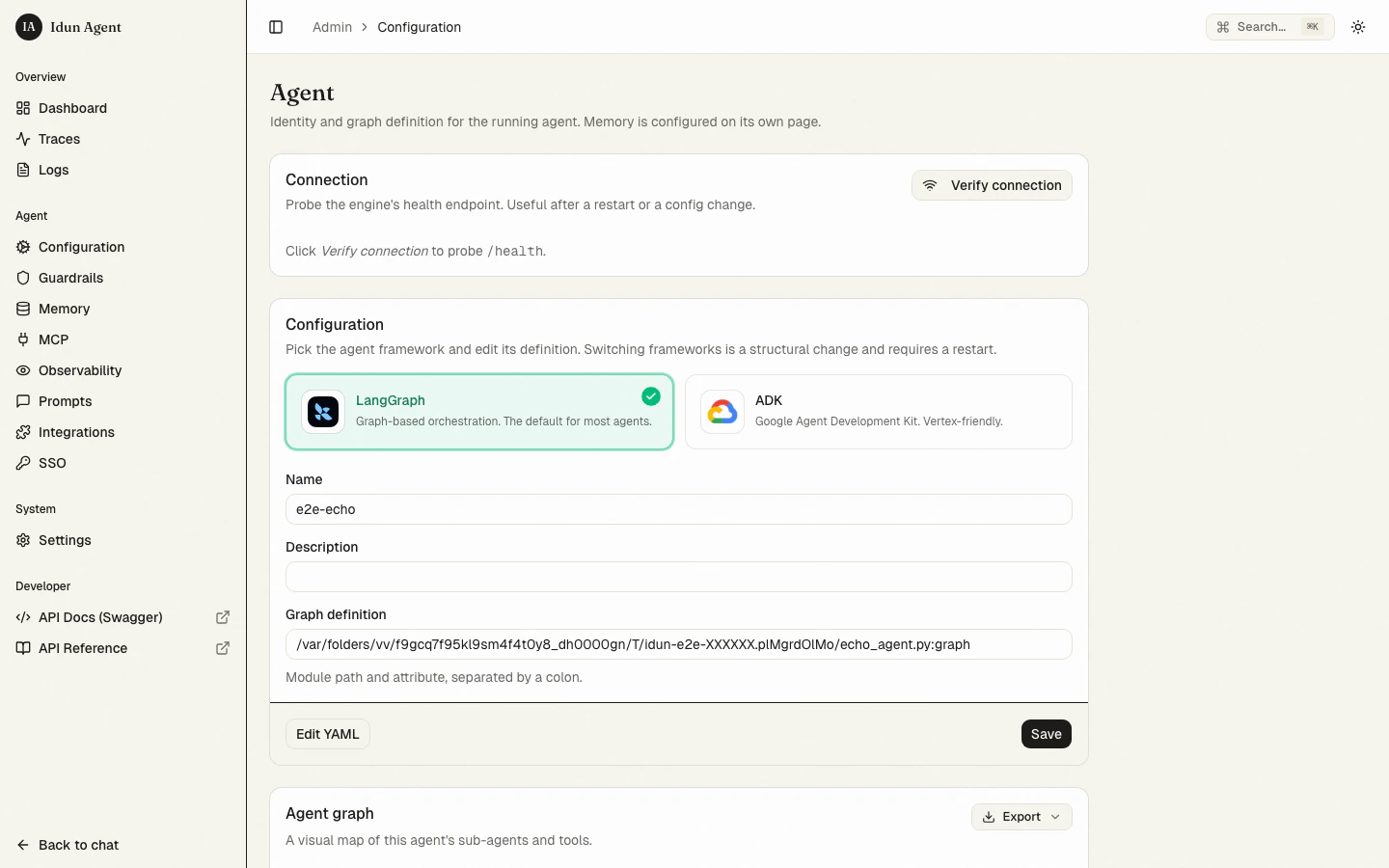
Open http://localhost:8000/admin. Configure MCP servers, managed prompts, observability, messaging integrations, and SSO, all without redeploying.
Agent detail

Next steps

Pick a framework

LangGraph or Google ADK

Add guardrails

15+ built-in safety guards

Wire observability

Langfuse, Phoenix, LangSmith, or GCP Trace

Connect MCP servers

stdio, SSE, streamable HTTP, or WebSocket transports

Deploy

Cloud Run, Kubernetes, or any single-container host

Switching to Postgres

The standalone runtime ships with SQLite as the default database for quickstart and demo. For production, switch to Postgres. SQLite’s trace-storage ceiling is around 10k traces before the list view starts to lag. The trace UI shows a permanent banner reminding operators of this when SQLite is the active backend. To switch:
1

Provision Postgres 15+

Provision a Postgres 15 or newer database. Make sure the pg_trgm extension is available, used for free-text trace search.
2

Set DATABASE_URL

export DATABASE_URL="postgresql+asyncpg://user:pass@host:5432/dbname"
3

Run migrations

idun setup
Alembic creates the trace tables with monthly partitioning, plus the standard standalone admin tables.
4

Restart the standalone runtime

idun init
Postgres unlocks 5–8k spans/sec sustained write (Linux production floor) versus 1k spans/sec on SQLite, plus richer free-text search and bounded read latency at scale.

Trace-store environment variables

VariableDefaultPurpose
IDUN_TRACE_RETENTION_DAYS14How many days of traces to keep before dropping. On Postgres, expired monthly partitions are detached and dropped. On SQLite, a scheduled DELETE runs.
IDUN_TRACES_INPUT_VALUE_MAX_BYTES65536Per-attribute byte cap before truncation. Lower this on heavy-payload deployments to recover throughput, or raise it to keep more raw input/output.
IDUN_PRICES_REFRESHfalseWhen true, the cost calculator fetches the LiteLLM model-prices snapshot at boot (5-second timeout, snapshot fallback). Default uses the vendored monthly snapshot.
Last modified on May 26, 2026