

config.yaml (or through the admin panel at /admin/mcp/), and the engine discovers every advertised tool at boot.
How it works
- Register MCP servers in the admin panel or YAML config with transport settings and connection details
- The engine discovers tools from each configured MCP server at startup
- Agents invoke tools during conversations as needed, with results passed back for response generation
Transport types
MCP servers connect to the engine through one of four transport protocols:The transport is decided by the MCP server, not the client. Most hosted servers expose exactly one. For example,
https://mcp.data.gouv.fr/mcp is streamable_http only, with no sse or stdio fallback. Check the server’s documentation before picking a transport; mismatched values fail at the handshake, not the YAML schema.Configuration example
Define MCP servers in yourconfig.yaml or through the admin panel:
- Config file
- Admin UI
config.yaml
get_langchain_tools() / get_adk_tools().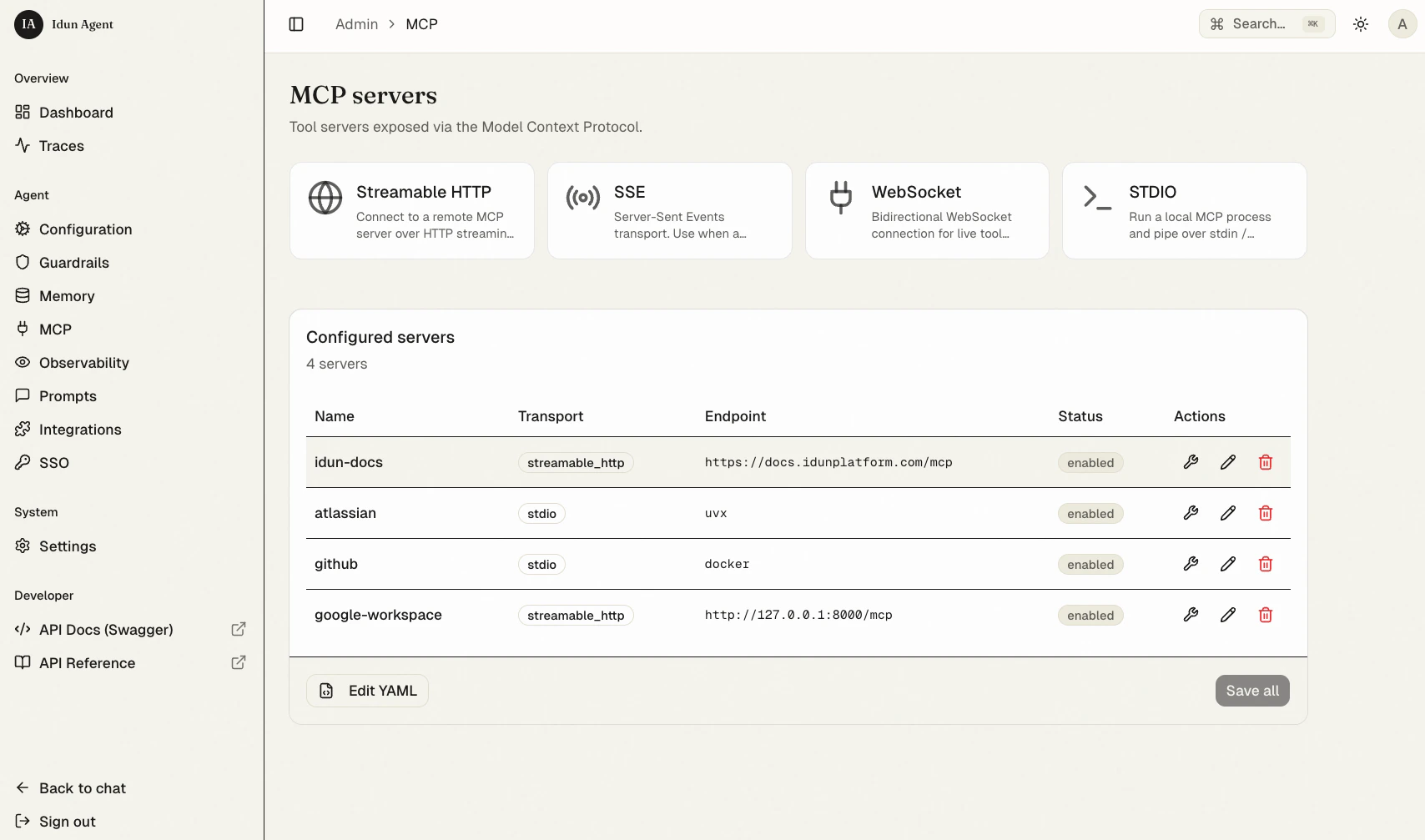
Integration approaches
Framework integration
The engine provides helper functions to load MCP tools into your agent code:Probing a server programmatically
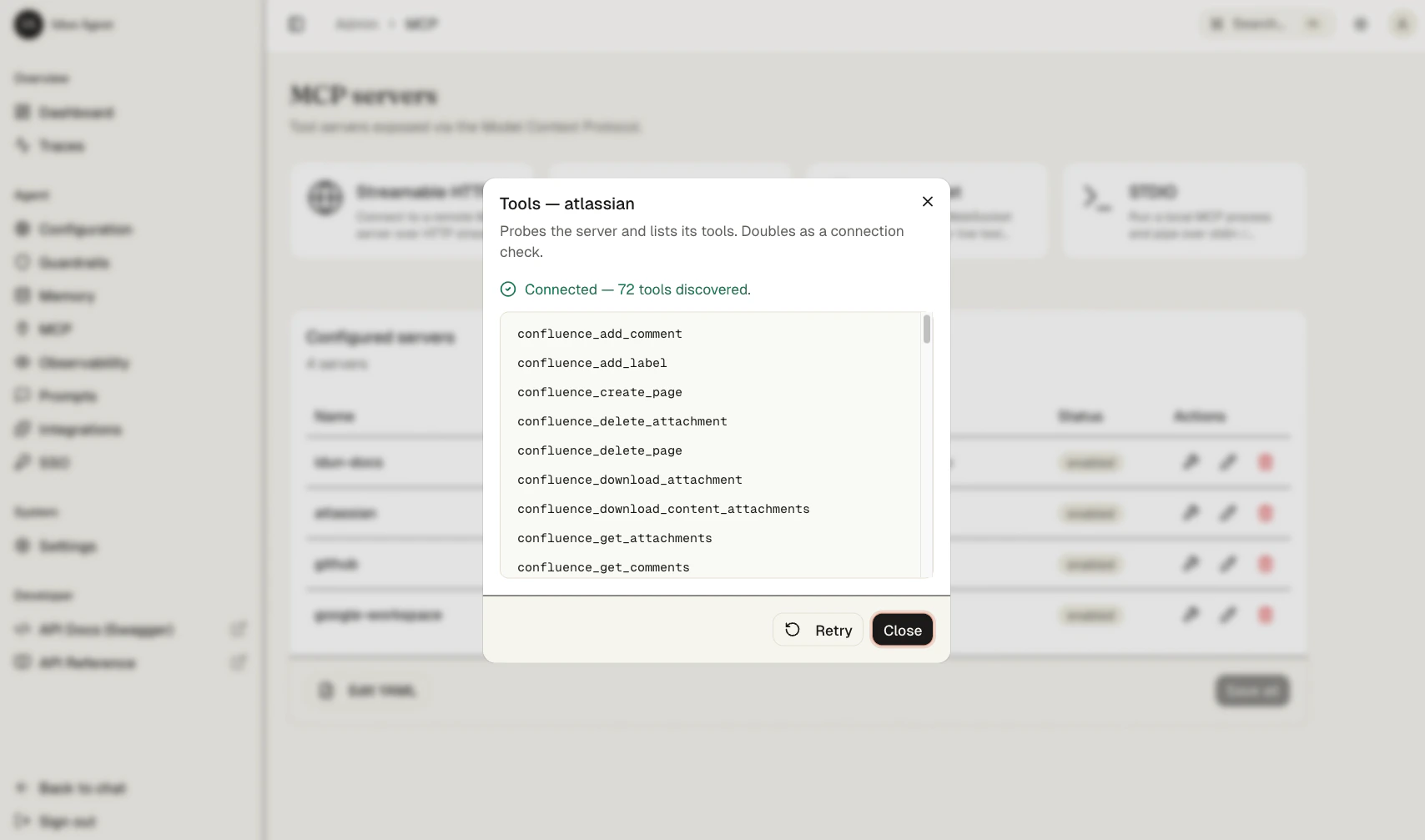
The wrench icon in the MCP admin page is backed by an admin REST endpoint, so the same probe runs from a script or a CI smoke check.POST /admin/api/v1/mcp-servers/{mcp_id}/tools connects to the registered server, lists every advertised tool, and returns a StandaloneConnectionCheck:
ok: false, the upstream message in error, and any partial detail still attached. The probe runs under a 5-second timeout (services/connection_checks.py) and converts every exception into the ok: false payload, so it is safe in a polling loop. The HTTP status stays 200 on every outcome except the auth check failing or the row id not existing.
The route is admin-authenticated: under IDUN_ADMIN_AUTH_MODE=password you need the session cookie minted by POST /admin/api/v1/auth/login. Use this in CI to fail fast when a production MCP server has gone away, or in a release-time check before flipping traffic.
get_langchain_tools() is async, so it must be awaited inside an async function. If you need to bind tools at module load, run it with asyncio.run(...) as shown above. A synchronous helper (get_langchain_tools_sync) is also available; see the engine MCP reference for details.Next steps
Docker MCP toolkit
Pre-built MCP servers packaged as Docker containers. Pull, configure, and use without writing server code.
Configuration reference
Full schema for
config.yaml including the mcp_servers block.